
Why Apple Wallet Isn't Enough
Apple Wallet works well, but only when supported.
The problem:
- Many loyalty cards cannot be added.
- There is no simple way to scan any barcode.
- You get limited flexibility when a card is not supported.
If your card isn't supported, you're stuck carrying it.
A Simpler Way: Scan Any Card
Instead of relying on supported cards, you can:
- Scan the barcode or QR code.
- Save it on your phone.
- Use it instantly at checkout.
This works for almost any card.
A Simple App Built for This
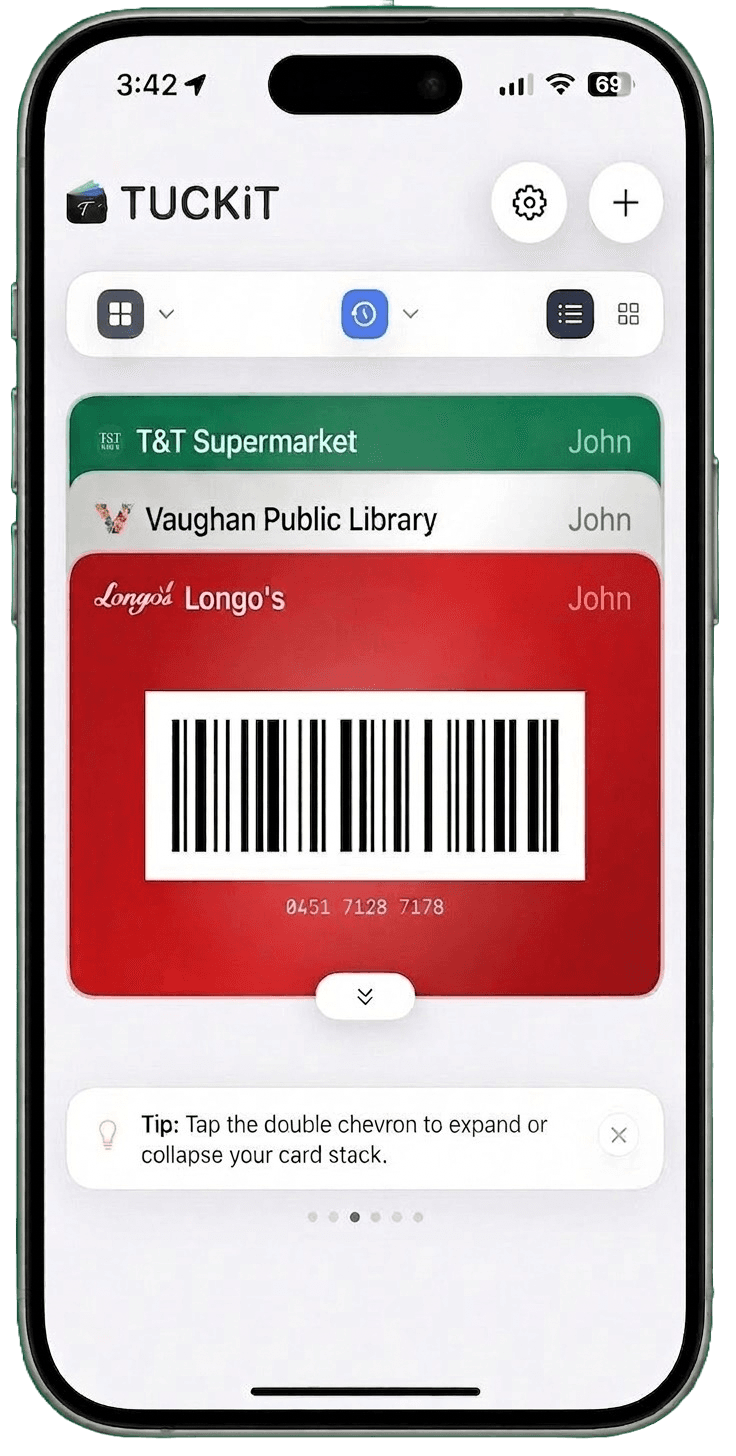
TUCKiT is designed specifically for iPhone users who want a clean, simple way to store cards.
What it does:
- Scan barcodes or QR codes.
- Store loyalty and membership cards.
- Keep everything organized in one place.
No setup. No restrictions.
What Cards Can You Store on iPhone?
You can store:
- Loyalty and rewards cards
- Membership cards for gyms and clubs
- Library cards
- Gift cards for quick access
If it has a barcode, you can save it.
Why Go Digital?
Switching to digital cards means:
- Faster checkout
- No more lost cards
- Less clutter in your wallet
- Everything always with you
How to Get Started
It takes less than a minute:
- Open the app.
- Tap "Add Card".
- Scan your card.
- Save and use.
Final Thoughts
If you're still carrying physical cards, you're doing extra work every day. A simple iPhone solution can make everything faster and easier.
FAQ
Can I store any loyalty card on my iPhone?
Yes. As long as the card has a barcode or QR code, it can be scanned and saved.
Why doesn't Apple Wallet support all cards?
Apple Wallet only works with partnered providers, which limits what users can add.
Is there an alternative to Apple Wallet for cards?
Yes. Apps like TUCKiT allow you to scan and store any card without restrictions.